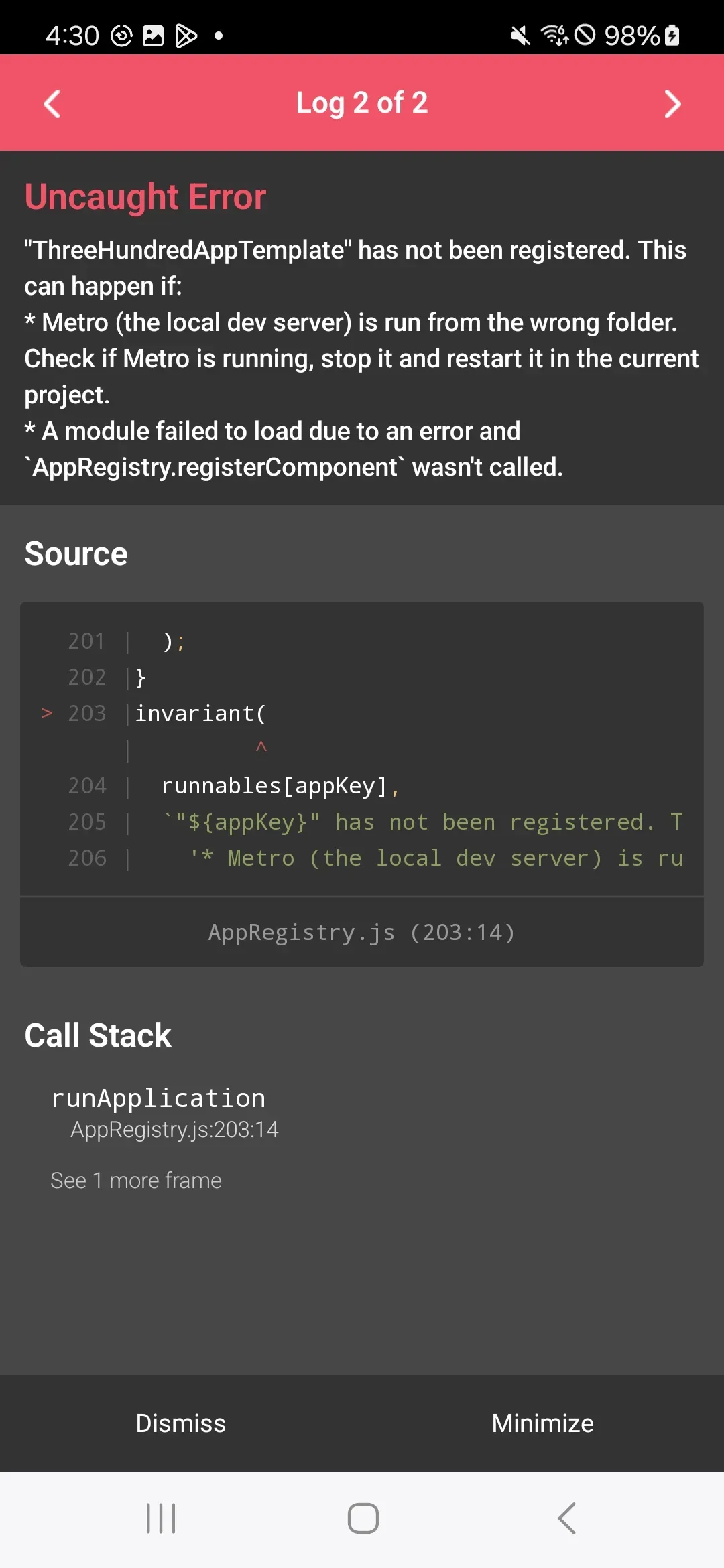
[RN/오류노트] Solved - Metro (the local dev server) is run from the wrong folder. Check if Metro is running, stop it and restart it in the current project.
해당 글에서는 React Native에 발생한 Metro (the local dev server) is run from the wrong folder. 오류에 대해 해결방법에 대해 알아봅니다
1) 문제점
💡 문제점
- 앱을 실행하는 중에 아래와 같은 오류가 발생하였습니다. - A라는 앱을 복제해서 B라는 앱으로 새로 구성하는 중에 발생하였습니다.
"xxxxx" has not been registered. This can happen if:Metro (the local dev server) is run from the wrong folder. Check if Metro is running, stop it and restart it in the current project. A module failed to load due to an error and AppRegistry.registerComponent wasn't called.
2) 해결방법 : Android
💡 해결방법 : Android
- 해당 문제는 app.json의 "name"과 "displayName"은 앱의 JavaScript 측에서 사용되는 컴포넌트 이름을 정의합니다. -MainActivity.kt의 getMainComponentName()은 네이티브 코드(Android)가 어떤 React 컴포넌트를 메인 화면으로 렌더링 할지 알려줍니다 - 이 값들이 일치하지 않으면 앱이 시작될 때 네이티브 코드가 JavaScript에서 정의된 올바른 컴포넌트를 찾지 못해 에러가 발생합니다.
package com.threehundredapptemplate

import com.facebook.react.ReactActivity
import com.facebook.react.ReactActivityDelegate
import com.facebook.react.defaults.DefaultNewArchitectureEntryPoint.fabricEnabled
import com.facebook.react.defaults.DefaultReactActivityDelegate

class MainActivity : ReactActivity() {

  /**
   * Returns the name of the main component registered from JavaScript. This is used to schedule
   * rendering of the component.
   */
  override fun getMainComponentName(): String = "ThreeHundredAppTemplate" // 해당 부분을 app.json 파일 내의 name과 displayName과 동일하게 해야합니다.

  /**
   * Returns the instance of the [ReactActivityDelegate]. We use [DefaultReactActivityDelegate]
   * which allows you to enable New Architecture with a single boolean flags [fabricEnabled]
   */
  override fun createReactActivityDelegate(): ReactActivityDelegate =
      DefaultReactActivityDelegate(this, mainComponentName, fabricEnabled)
}
3) 해결방법 : iOS
💡 해결방법 : iOS - app.json의 "name"과 "displayName" 값을 확인합니다. - AppDelegate.mm 파일에서 moduleName이 app.json의 값과 일치하는지 확인합니다. - Info.plist 파일의 Bundle identifier가 올바르게 설정되어 있는지 확인합니다.