해당 글에서는 채널톡 Open API와 서버 간의 통신을 통해서 채널톡에 대한 정보를 조회하는 방법과 키 발급방법에 대해서 알아봅니다

💡 [참고] 이전에 채널톡을 웹 페이지에 연결하는 방법에 대해 궁금하시면 이전글을 참고하시면 도움이 됩니다.
[React] 채널톡 이해하고 활용하기 -1: 연결 및 채팅 기능 확인, @channel.io/channel-web-sdk-loader
해당 글에서는 채널톡을 연결하고 채팅 기능을 활용하는 방법에 대해서 작성한 글입니다 1) 채널톡💡 채널톡- 올인원 AI 비즈니스 메신저로, 채팅 상담과 팀 메신저, 마케팅 메시지, 인터넷 전화
adjh54.tistory.com
1) 채널톡
💡 채널톡
- 올인원 AI 비즈니스 메신저로, 채팅 상담과 팀 메신저, 마케팅 메시지, 인터넷 전화(미트), 시나리오형 챗봇(서포트봇), AI 에이전트(ALF) 등의 기능을 제공합니다.
- 주로 고객과 채팅 상담에 이용하고 관리하기 위한 용도로 이용을 합니다.
1. 채널톡 Open API를 이용하려면
💡 채널톡 Open API를 이용하려면
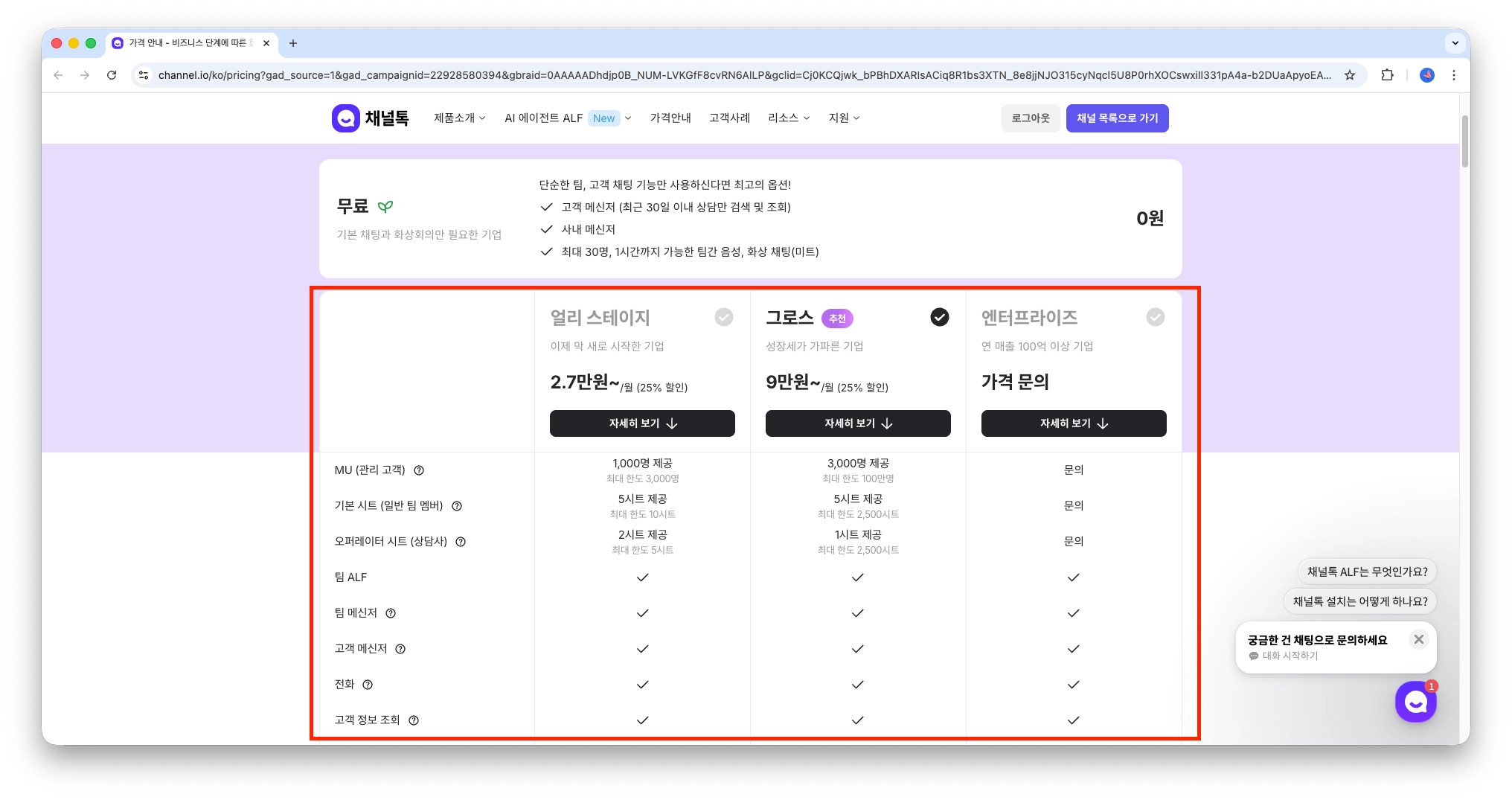
- Open API를 이용하기 위해서는 기본적으로 ‘유료 플랜’을 이용해야 합니다.
💡 무료 플랜으로 유료 플랜 기능을 일부 사용이 가능하지만, Open API 연동과 관련되어서는 사용이 불가능하며, ‘유료플랜’을 구매해야 합니다.
가격 안내 - 비즈니스 단계에 따른 합리적인 가격
작은 팀부터 엔터프라이즈 기업까지 단계에 맞는 플랜을 선택하세요.
channel.io
2) 채널톡 키 발급받기
💡 채널톡 키 발급받기
- 채널톡의 Open API와 연동을 하기 위해서는 Access Key, Access Secret을 발급받아야 합니다
1. 채널톡에서 설정 > 보안 및 개발 > API > 새 인증 키 만들기 버튼을 누릅니다
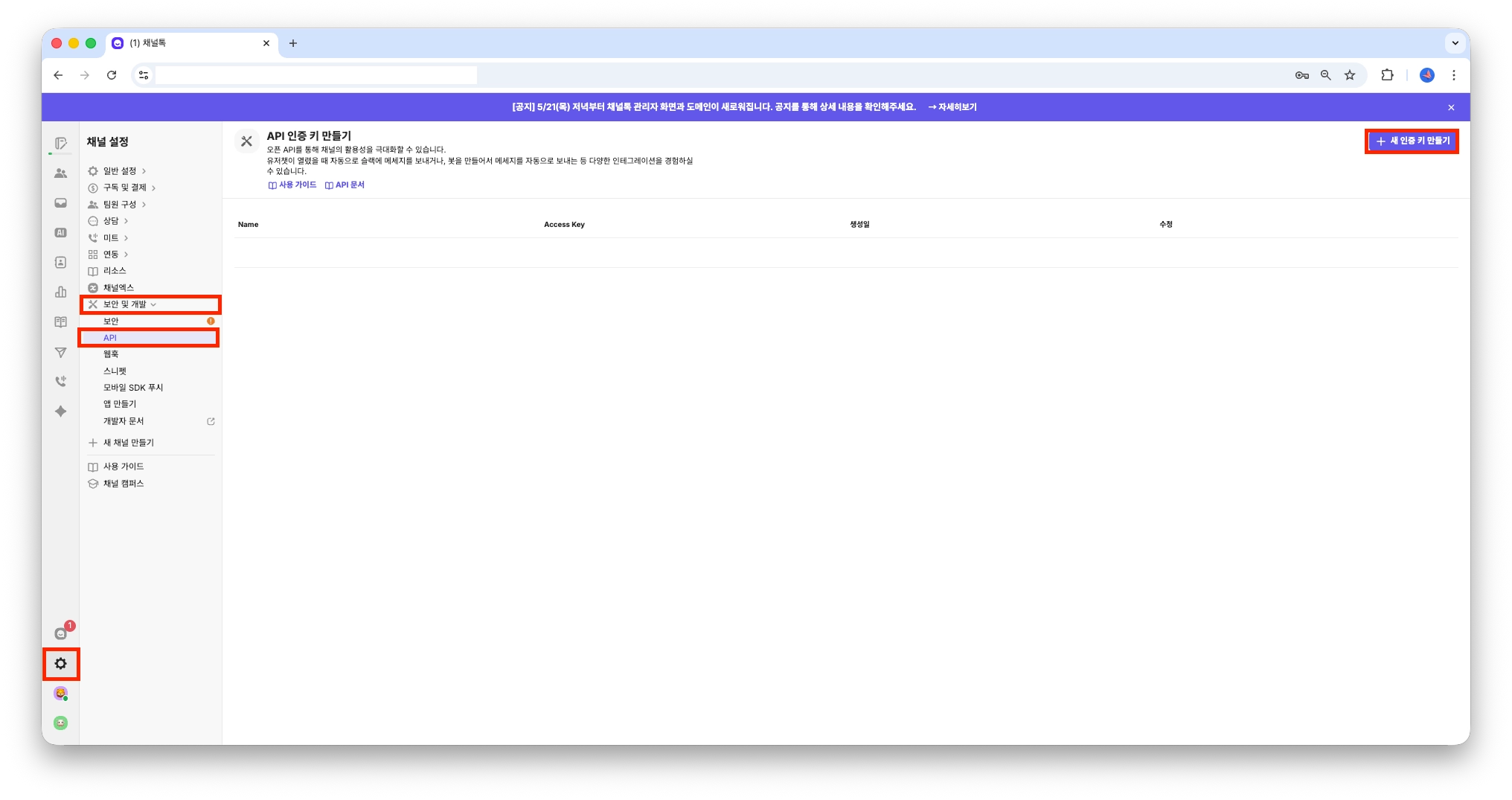
2. 새 인증키를 만듭니다.

3. 아래와 같이 Access Key, Access Secret이 발급되었습니다

3) 채널톡 OPEN API
What is Open API
The Channel Open API allows third party developers to build applications that interact with Channel in more complex ways than the integrations we currently provide. By using the API, developers can freely build sophisticated interactions and seamless pipel
docs.channel.io
1. API 대분류 목록
💡 API 대분류 목록
- API의 대분류에서는 크게 Bot, UserChat, Channel 등의 Open API 정보를 가져올 수 있는 것으로 확인되었습니다.

| 대분류 | 설명 |
| Channel | 채널(워크스페이스) 자체의 정보를 관리합니다. 채널 이름, 설정, 도메인 등 채널톡 계정 단위의 메타 정보를 조회합니다. |
| User | 채널톡에 접속하는 고객(방문자/회원) 정보를 관리합니다. 고객 목록 조회, 상세 조회, 고객 속성(프로필) 등을 다룹니다. |
| UserChat | 고객과 상담원 간의 1:1 채팅 대화를 관리합니다. 채팅 생성, 목록/상세 조회, 세션 조회, 메시지 전송/조회 등 상담의 핵심 기능입니다. |
| Manager | 상담원(매니저) 정보를 관리합니다. 채널에 소속된 상담 담당자 목록 조회, 상세 조회 등을 제공합니다. |
| Bot | 채널톡 내 봇 프로필을 관리합니다. 봇을 통한 자동 메시지 발송 시 사용되는 봇 목록 조회, 상세 조회 등을 제공합니다. |
| Group | 내부 팀(상담원 간) 그룹 채팅을 관리합니다. 그룹 생성/조회/수정, 그룹 메시지 발송, 파일 URL(15분 signed URL) 조회 등을 다룹니다. |
| Event | 고객의 행동 로그(이벤트 트래킹)를 관리합니다. PageView, UserChatOpen, MarketingView 등 웹사이트/앱 내 사용자 행동을 기록하고 조회합니다. |
| Marketing | 마케팅 캠페인을 관리합니다. 팝업, 인앱 메시지 등 마케팅 메시지의 생성/조회/상태 관리(draft, active, inactive, completed)를 다룹니다. |
| Webhook | 웹훅 설정을 관리합니다. 특정 이벤트(채팅 생성, 메시지 수신 등) 발생 시 외부 URL로 알림을 보내기 위한 웹훅 CRUD를 제공합니다. |
| Plugin | 채널톡 SDK 연동에 필요한 플러그인을 관리합니다. 플러그인 키(pluginKey) 발급, 채팅 버튼 UI 설정, 프로필봇 설정 등을 다룹니다. |
| Redirection | 리다이렉션 URL을 생성합니다. 외부 링크에서 채널톡 특정 채팅이나 페이지로 자동 이동시키기 위한 signed URL을 발급합니다. |
💡 종합 API 목록
| 분류 | Method | Path | 설명 |
| Bot | GET | /bots | 봇 목록 조회 |
| Bot | GET | /bots/{botId} | 봇 상세 조회 |
| Bot | POST | /bots | 봇 생성 |
| Bot | DELETE | /bots/{botId} | 봇 삭제 |
| UserChat | GET | /user-chats | 고객 채팅 목록 조회 |
| UserChat | GET | /user-chats/{userChatId} | 고객 채팅 상세 조회 |
| UserChat | GET | /user-chats/{userChatId}/sessions | 고객 채팅 세션 조회 |
| UserChat | GET | /user-chats/{userChatId}/messages | 고객 채팅 메시지 조회 |
| UserChat | POST | /user-chats/{userChatId}/messages | 고객 채팅 메시지 전송 (봇) |
| UserChat | GET | /user-chats/{userChatId}/messages/file | 고객 채팅 파일 URL 조회 (15분 signed URL) |
| UserChat | PATCH | /user-chats/{userChatId}/invite | 고객 채팅에 상담원 초대 |
| UserChat | PATCH | /user-chats/{userChatId}/close | 고객 채팅 종료 |
| UserChat | DELETE | /user-chats/{userChatId} | 고객 채팅 삭제 |
| Channel | GET | /channel | 채널 정보 조회 |
| Manager | GET | /managers | 상담원 목록 조회 |
| Manager | GET | /managers/{managerId} | 상담원 상세 조회 |
| User | GET | /users | 고객 목록 조회 |
| User | GET | /users/{userId} | 고객 상세 조회 (userId) |
| User | GET | /users/@{memberId} | 고객 상세 조회 (memberId) |
| User | PATCH | /users/{userId} | 고객 정보 수정 |
| User | PUT | /users/@{memberId} | 고객 Upsert (없으면 생성, 있으면 수정) |
| User | DELETE | /users/{userId} | 고객 삭제 (userId) |
| User | DELETE | /users/@{memberId} | 고객 삭제 (memberId) |
| User | POST | /users/{userId}/block | 고객 차단 |
| User | DELETE | /users/{userId}/block | 고객 차단 해제 |
| User | POST | /users/{userId}/user-chats | 고객 채팅 생성 |
| User | GET | /users/{userId}/user-chats | 고객의 채팅 목록 조회 |
| User | GET | /users/{userId}/events | 고객 이벤트(행동로그) 조회 |
| User | PUT | /users/@{memberId}/session-jwt/issue | 고객 세션 JWT 토큰 발급 |
| User | - | /users/{userId}/touch | 고객 Touch (2025.12.5 이후 사용 가능) |
💡 기타 내용은 API 문서에서 확인하실 수 있습니다.
What is Open API
The Channel Open API allows third party developers to build applications that interact with Channel in more complex ways than the integrations we currently provide. By using the API, developers can freely build sophisticated interactions and seamless pipel
developers.channel.io
2. Bot
💡 Bot
- 채널톡 내 봇 프로필을 관리합니다. 봇을 통한 자동 메시지 발송 시 사용되는 봇 목록 조회, 상세 조회 등을 제공합니다.
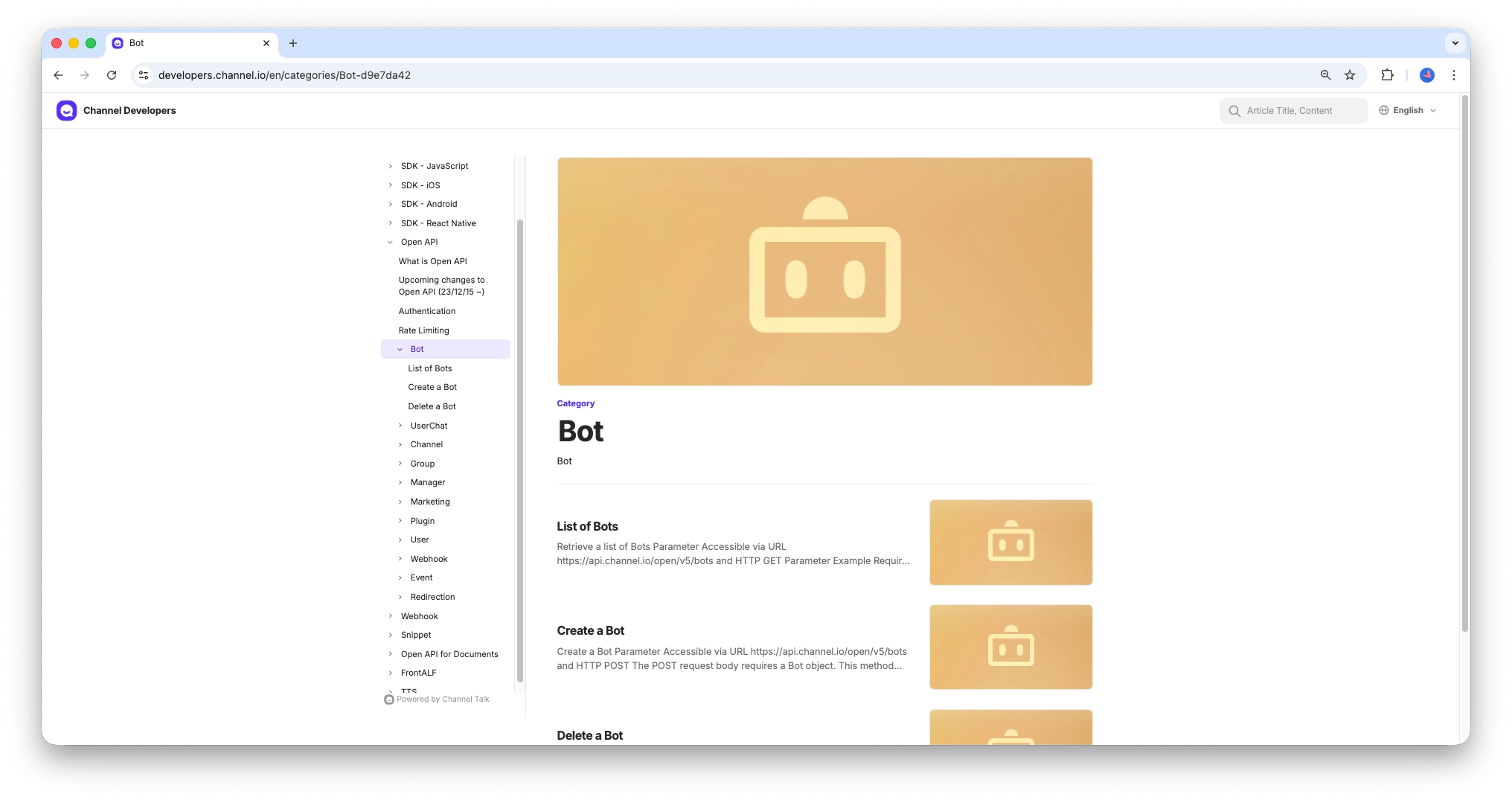
| No | Method | Path | 설명 |
| 1 | GET | /bots | 봇 목록 조회 |
| 2 | GET | /bots/{botId} | 봇 상세 조회 |
| 3 | POST | /bots | 봇 생성 |
| 4 | DELETE | /bots/{botId} | 봇 삭제 |
3. UserChat
💡 UserChat
- 고객과 상담원 간의 1:1 채팅 대화를 관리합니다. 채팅 생성, 목록/상세 조회, 세션 조회, 메시지 전송/조회 등 상담의 핵심 기능입니다.
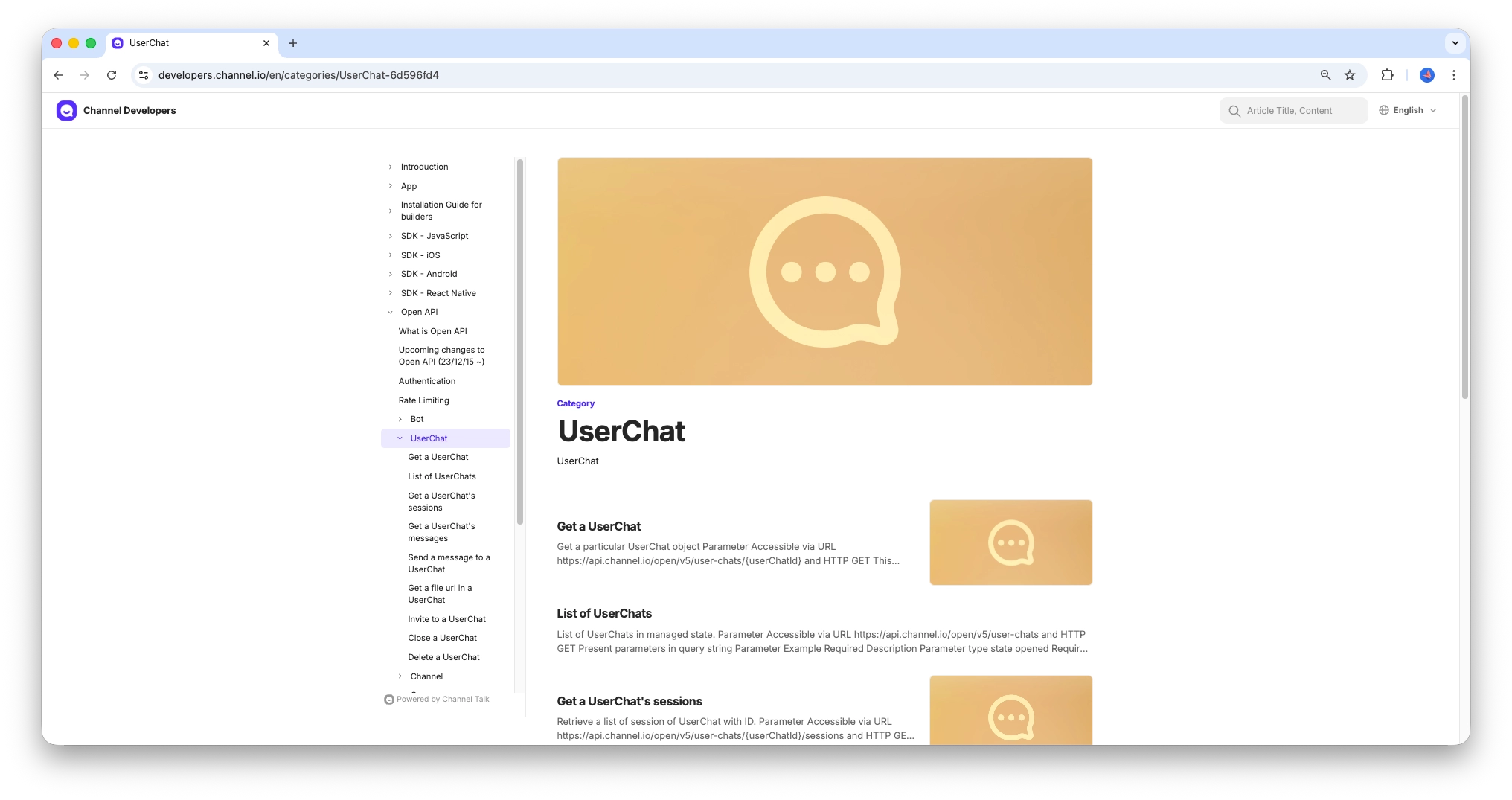
| No | Method | Paths | 설명 |
| 1 | GET | /user-chats | 고객 채팅 목록 조회 |
| 2 | GET | /user-chats/{userChatId} | 고객 채팅 상세 조회 |
| 3 | GET | /user-chats/{userChatId}/sessions | 고객 채팅 세션 조회 |
| 4 | GET | /user-chats/{userChatId}/messages | 고객 채팅 메시지 조회 |
| 5 | POST | /user-chats/{userChatId}/messages | 고객 채팅 메시지 전송 (봇) |
| 6 | GET | /user-chats/{userChatId}/messages/file | 고객 채팅 파일 URL 조회 (15분 signed URL) |
| 7 | PATCH | /user-chats/{userChatId}/invite | 고객 채팅에 상담원 초대 |
| 8 | PATCH | /user-chats/{userChatId}/close | 고객 채팅 종료 |
| 9 | DELETE | /user-chats/{userChatId} | 고객 채팅 삭제 |
5. Channel
💡 Channel
- 채널(워크스페이스) 자체의 정보를 관리합니다. 채널 이름, 설정, 도메인 등 채널톡 계정 단위의 메타 정보를 조회합니다.
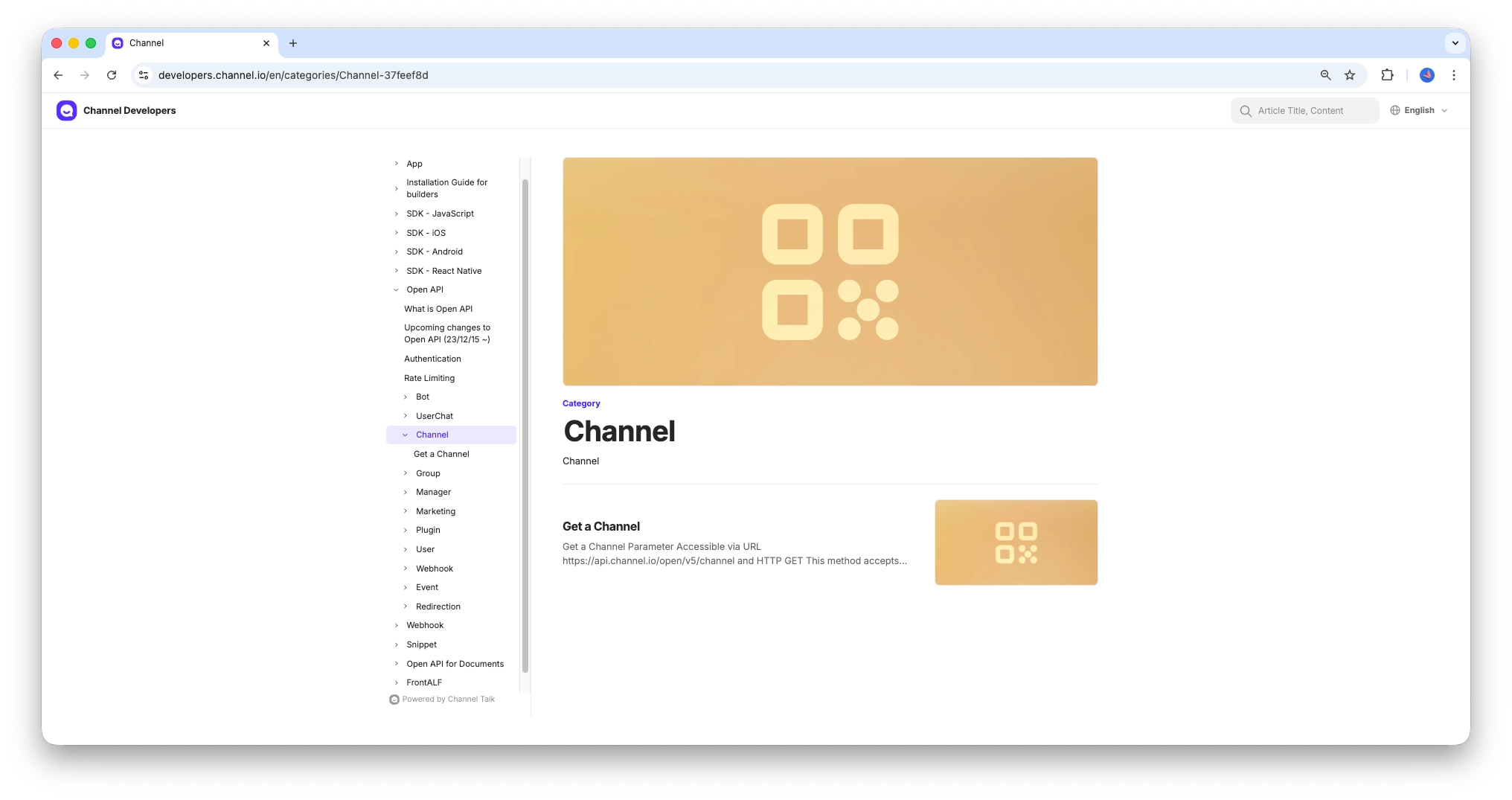
| No | Method | Path | 설명 |
| 1 | GET | /channel | 채널 정보 조회 |
6. Manager
💡 Manager
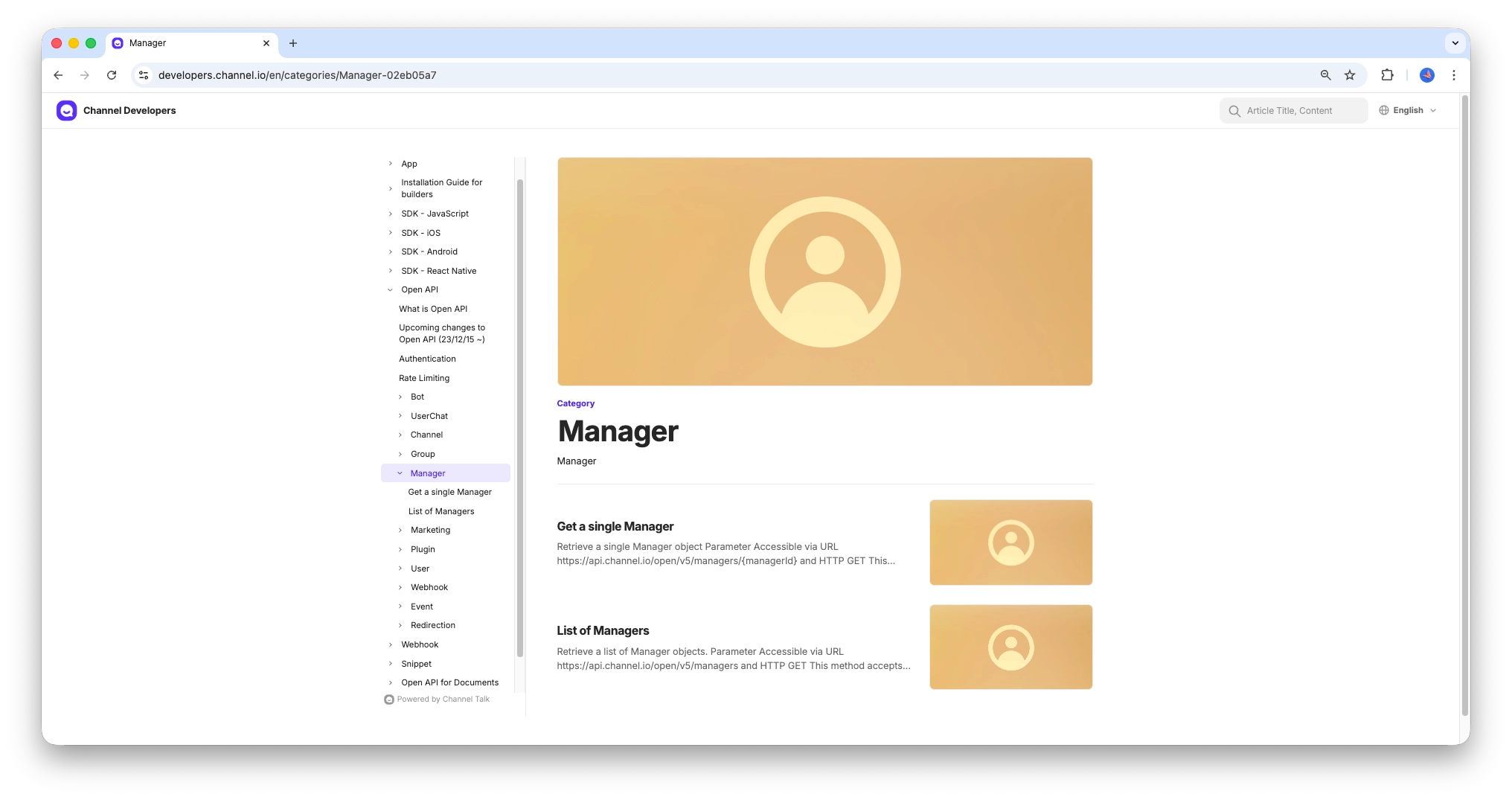
- 상담원(매니저) 정보를 관리합니다. 채널에 소속된 상담 담당자 목록 조회, 상세 조회 등을 제공합니다.
| No | Method | Path | 설명 |
| 1 | GET | /managers | 상담원 목록 조회 |
| 2 | GET | /managers/{managerId} | 상담원 상세 조회 |
7. User
💡 User
- 채널톡에 접속하는 고객(방문자/회원) 정보를 관리합니다. 고객 목록 조회, 상세 조회, 고객 속성(프로필) 등을 다룹니다.
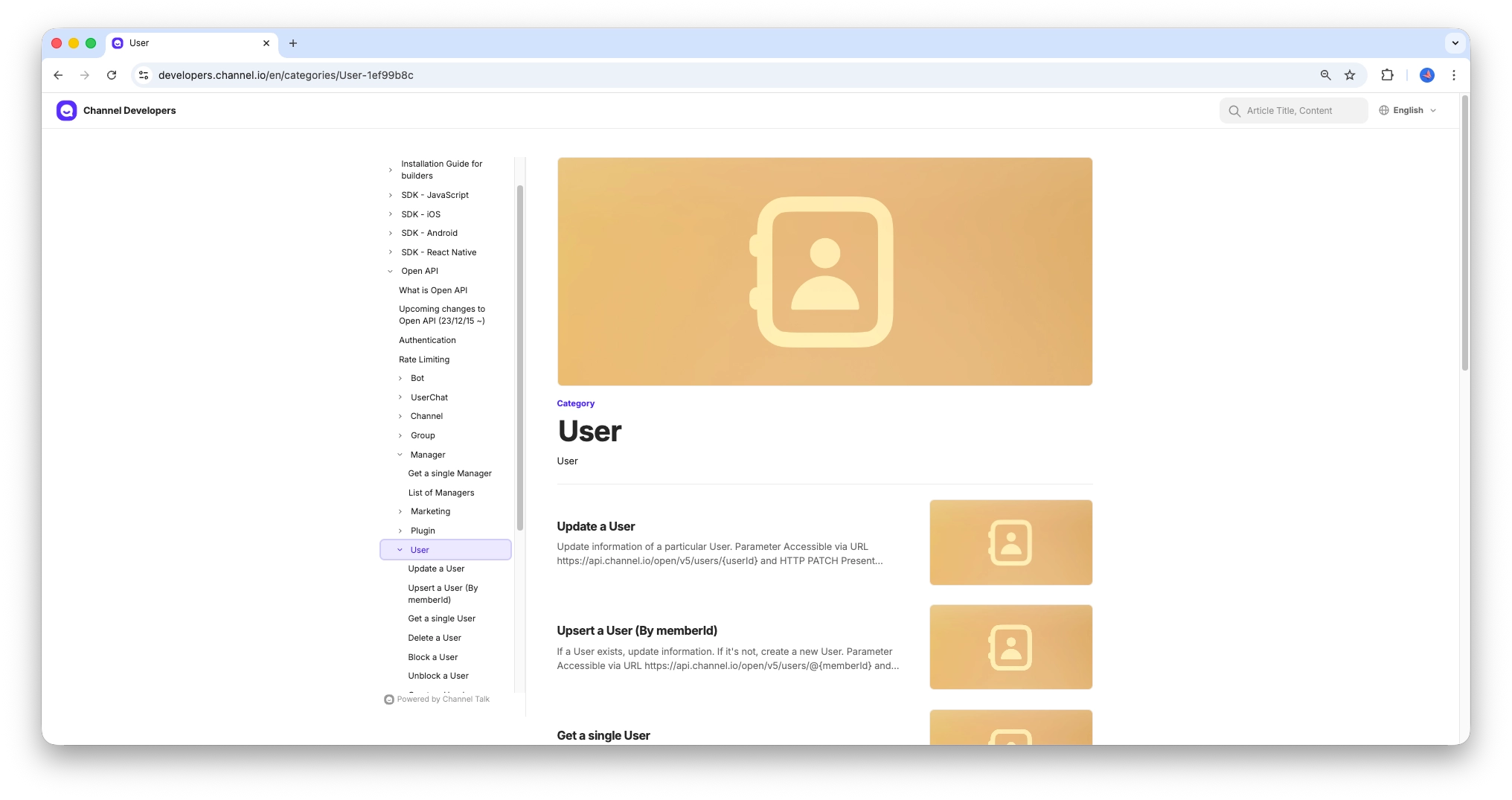
| No | Method | Path | 설명 |
| 1 | GET | /users | 고객 목록 조회 |
| 2 | GET | /users/{userId} | 고객 상세 조회 (userId) |
| 3 | GET | /users/@{memberId} | 고객 상세 조회 (memberId) |
| 4 | PATCH | /users/{userId} | 고객 정보 수정 |
| 5 | PUT | /users/@{memberId} | 고객 Upsert (없으면 생성, 있으면 수정) |
| 6 | DELETE | /users/{userId} | 고객 삭제 (userId) |
| 7 | DELETE | /users/@{memberId} | 고객 삭제 (memberId) |
| 8 | POST | /users/{userId}/block | 고객 차단 |
| 9 | DELETE | /users/{userId}/block | 고객 차단 해제 |
| 10 | POST | /users/{userId}/user-chats | 고객 채팅 생성 |
| 11 | GET | /users/{userId}/user-chats | 고객의 채팅 목록 조회 |
| 12 | GET | /users/{userId}/events | 고객 이벤트(행동로그) 조회 |
| 13 | PUT | /users/@{memberId}/session-jwt/issue | 고객 세션 JWT 토큰 발급 |
| 14 | - | /users/{userId}/touch | 고객 Touch (2025.12.5 이후 사용 가능) |
4) 채널톡 OPEN API 활용하기
1. application.yml
💡 application.yml
- 아래와 같이 yml 파일 내에 발급받은 access-key, access-secret을 추가하였습니다. 해당 방식은 .env 파일 내에서 불러오는 형태로 구성하였고, 이를 참조하는 형태입니다.
channel-talk:
  access-key: ${CHANNEL_TALK_ACCESS_KEY}
  access-secret: ${CHANNEL_TALK_ACCESS_SECRET}
  base-url: https://api.channel.io/open/v5
💡 [참고] .env 파일로 환경정보 관리 방법
[Java] Spring Boot 환경에서 시스템 변수 .env 파일 지정 및 활용 방법
해당 글에서는 Spring Boot 개발 환경에서 .env 파일을 시스템 변수로 지정하는 방법과 이를 불러오는 다양한 방법에 대해서 알아봅니다1) Spring Boot 환경에서 .env 파일을 시스템 변수로 적용하는 이
adjh54.tistory.com
2. ChannelTalkConfig
💡 ChannelTalkConfig
- 해당 부분에서는 RestClient를 이용하여서 ChannelTalk과 연동하기 위한 클라이언트를 구성합니다.
- 클라이언트는 채널톡과 통신을 위한 x-access-key, x-access-secret를 헤더에 포함하여 통신을 수행합니다.
import com.service.client.ChannelTalkClient;
import lombok.extern.slf4j.Slf4j;
import org.springframework.beans.factory.annotation.Value;
import org.springframework.context.annotation.Bean;
import org.springframework.context.annotation.Configuration;
import org.springframework.web.client.RestClient;
import org.springframework.web.client.support.RestClientAdapter;
import org.springframework.web.service.invoker.HttpServiceProxyFactory;

/**
 * 채널톡 RestClient + HttpServiceProxyFactory 설정
 *
 * @author : leejonghoon
 * @fileName : ChannelTalkClientConfig
 * @since : 26. 5. 7.
 */
@Configuration
@Slf4j
public class ChannelTalkConfig {

    @Value("${channel-talk.access-key}")
    private String accessKey;

    @Value("${channel-talk.access-secret}")
    private String accessSecret;

    @Bean
    public ChannelTalkClient channelTalkClient() {
        RestClient restClient = RestClient.builder()
                .baseUrl("<https://api.channel.io>")
                .defaultHeader("x-access-key", accessKey)
                .defaultHeader("x-access-secret", accessSecret)
                .defaultHeader("Content-Type", "application/json")
                .build();

        HttpServiceProxyFactory factory = HttpServiceProxyFactory
                .builderFor(RestClientAdapter.create(restClient))
                .build();

        ChannelTalkClient client = factory.createClient(ChannelTalkClient.class);
        return client;
    }
}
3. ChannelTalkClient
💡 ChannelTalkClient
- 이전에 구성한 채널톡 인스턴스를 기반으로 헤더에 내용을 모두 포함하였습니다.
- 이를 기반으로 Spring Boot4에서 추가된 Service Interface Clients를 통하여 외부 통신을 수행합니다.
package com.daekyocns.homepage.service.client;

import org.springframework.http.MediaType;
import org.springframework.web.bind.annotation.PathVariable;
import org.springframework.web.bind.annotation.RequestBody;
import org.springframework.web.bind.annotation.RequestParam;
import org.springframework.web.service.annotation.*;

import java.util.List;
import java.util.Map;

/**
 * 채널톡 Open API HTTP Service Client
 *
 * @author : leejonghoon
 * @fileName : ChannelTalkClient
 * @since : 26. 5. 7.
 */
@HttpExchange(contentType = MediaType.APPLICATION_JSON_VALUE)
public interface ChannelTalkClient {

    /**
     * 채널 정보를 조회합니다.
     *
     * @return
     */
    @GetExchange("/open/v5/channel")
    Map<String, Object> getChannel();

    /**
     * 고객 정보를 모두 조회합니다.
     *
     * @param after
     * @param limit
     * @return
     */
    @GetExchange("/open/v5/users")
    Map<String, Object> getUsers(
            @RequestParam(required = false) String after,
            @RequestParam(defaultValue = "30") int limit
    );

    /**
     * 고객 정보를 상세 조회합니다.
     *
     * @param userId
     * @return
     */
    @GetExchange("/open/v5/users/{userId}")
    Map<String, Object> getUser(@PathVariable String userId);

    /**
     * 사용자의 이벤트(행동로그)를 조회합니다.
     *
     * @param userId
     * @param sortOrder
     * @param since
     * @param limit
     * @return
     */
    @GetExchange("/open/v5/users/{userId}/events")
    Map<String, Object> getUserEvents(
            @PathVariable String userId,
            @RequestParam(defaultValue = "desc") String sortOrder,
            @RequestParam(required = false) Long since,
            @RequestParam(defaultValue = "25") int limit
    );

    /**
     * 고객과의 채팅 정보들을 조회합니다.
     *
     * @param state
     * @param sortOrder
     * @param since
     * @param limit
     * @return
     */
    @GetExchange("/open/v5/user-chats")
    Map<String, Object> getUserChats(
            @RequestParam(defaultValue = "opened") String state,
            @RequestParam(defaultValue = "desc") String sortOrder,
            @RequestParam(required = false) String since,
            @RequestParam(defaultValue = "30") int limit
    );

    /**
     * 고객과의 채팅 정보를 상세 조회합니다.
     *
     * @param userChatId
     * @return
     */
    @GetExchange("/open/v5/user-chats/{userChatId}")
    Map<String, Object> getUserChat(@PathVariable String userChatId);

    /**
     * 사용자와의 채팅 세션을 조회합니다.
     *
     * @param userChatId
     * @return
     */
    @GetExchange("/open/v5/user-chats/{userChatId}/sessions")
    Map<String, Object> getUserChatSessions(@PathVariable String userChatId);

    /**
     * 사용자와의 채팅을 생성합니다.
     *
     * @param userId
     * @return
     */
    @PostExchange("/open/v5/users/{userId}/user-chats")
    Map<String, Object> createUserChat(@PathVariable String userId);

    /**
     * 사용자와의 메시지 정보를 조회합니다.
     *
     * @param userChatId
     * @param since
     * @param limit
     * @return
     */
    @GetExchange("/open/v5/user-chats/{userChatId}/messages")
    Map<String, Object> getUserChatMessages(
            @PathVariable String userChatId,
            @RequestParam(required = false) String since,
            @RequestParam(defaultValue = "50") int limit
    );

    /**
     * 상담원(Manager)들을 조회합니다.
     *
     * @return
     */
    @GetExchange("/open/v5/managers")
    Map<String, Object> getManagers();

    /**
     * 상담원(Manager)에 대해 상세히 조회합니다.
     *
     * @param managerId
     * @return
     */
    @GetExchange("/open/v5/managers/{managerId}")
    Map<String, Object> getManager(@PathVariable String managerId);

    /**
     * 봇(Bot) 정보들을 조회합니다.
     *
     * @param since
     * @param limit
     * @return
     */
    @GetExchange("/open/v5/bots")
    Map<String, Object> getBots(
            @RequestParam(required = false) Long since,
            @RequestParam(defaultValue = "25") int limit
    );

    /**
     * 봇(Bot) 정보를 상세 조회합니다.
     *
     * @param botId
     * @return
     */
    @GetExchange("/open/v5/bots/{botId}")
    Map<String, Object> getBot(@PathVariable String botId);

    /**
     * 웹훅 목록을 조회합니다.
     *
     * @param since
     * @param limit
     * @return
     */
    @GetExchange("/open/v5/webhooks")
    Map<String, Object> getWebhooks(
            @RequestParam(required = false) Long since,
            @RequestParam(defaultValue = "25") int limit
    );

    /**
     * 웹훅 정보를 상세 조회합니다.
     *
     * @param webhookId
     * @return
     */
    @GetExchange("/open/v5/webhooks/{webhookId}")
    Map<String, Object> getWebhook(@PathVariable String webhookId);

    /**
     * 웹훅을 생성합니다.
     *
     * @param body
     * @return
     */
    @PostExchange("/open/v5/webhooks")
    Map<String, Object> createWebhook(@RequestBody Map<String, Object> body);

    /**
     * 웹훅 정보를 수정합니다.
     *
     * @param webhookId
     * @param body
     * @return
     */
    @PutExchange("/open/v5/webhooks/{webhookId}")
    Map<String, Object> updateWebhook(@PathVariable String webhookId, @RequestBody Map<String, Object> body);

    /**
     * 웹훅을 삭제합니다.
     *
     * @param webhookId
     * @return
     */
    @DeleteExchange("/open/v5/webhooks/{webhookId}")
    Map<String, Object> deleteWebhook(@PathVariable String webhookId);

    /**
     * 캠페인(마케팅) 목록을 조회합니다.
     *
     * @param since
     * @param limit
     * @param states draft|active|inactive|completed
     * @return
     */
    @GetExchange("/open/v5/mkt/campaigns")
    Map<String, Object> getCampaigns(
            @RequestParam(required = false) Long since,
            @RequestParam(defaultValue = "25") int limit,
            @RequestParam(required = false) List<String> states
    );

    /**
     * 그룹 메시지의 파일 URL을 조회합니다. (15분 signed URL)
     *
     * @param groupId
     * @param key
     * @return
     */
    @GetExchange("/open/v5/groups/{groupId}/messages/file")
    Map<String, Object> getGroupFileUrl(
            @PathVariable String groupId,
            @RequestParam String key
    );
}
💡 [참고] Service Interface Clients에 대해 궁금하시면 아래의 글을 참고하시면 도움이 됩니다.
[Trend] Spring Boot 4 Release Note 읽어보기
해당 글에서는 Spring Boot 4가 출시되어 주요 내용에 대한 Release Note를 읽어보기 위해 작성한 글입니다. 1) Spring Boot 4💡 Spring Boot 4- 2025년 11월 공식 릴리스된 Spring Boot의 메이저 버전 업그레이드로,
adjh54.tistory.com
4. ChannelTalkService
💡 ChannelTalkService
- 외부 통신 처리 이후에 비즈니스 로직을 처리하기 위한 Service 레이어를 구성하였습니다.
- 해당 경우 비즈니스 로직을 처리하기 위한 클래스로 사용이 됩니다.
package com.service;

import com.service.client.ChannelTalkClient;
import lombok.RequiredArgsConstructor;
import lombok.extern.slf4j.Slf4j;
import org.springframework.stereotype.Service;

import java.util.List;
import java.util.Map;

/**
 * 채널톡 비즈니스 로직 처리 Service
 *
 * @author : leejonghoon
 * @fileName : ChannelTalkService
 * @since : 26. 5. 7.
 */
@Slf4j
@Service
@RequiredArgsConstructor
public class ChannelTalkService {

    private final ChannelTalkClient channelTalkClient;

    public Map<String, Object> getChannel() {
        return channelTalkClient.getChannel();
    }

    public Map<String, Object> getUsers(String after, int limit) {
        return channelTalkClient.getUsers(after, limit);
    }

    public Map<String, Object> getUser(String userId) {
        return channelTalkClient.getUser(userId);
    }

    public Map<String, Object> getUserEvents(String userId, String sortOrder, Long since, int limit) {
        return channelTalkClient.getUserEvents(userId, sortOrder, since, limit);
    }

    public Map<String, Object> getUserChats(String state, String sortOrder, String since, int limit) {
        return channelTalkClient.getUserChats(state, sortOrder, since, limit);
    }

    public Map<String, Object> getUserChat(String userChatId) {
        return channelTalkClient.getUserChat(userChatId);
    }

    public Map<String, Object> getUserChatSessions(String userChatId) {
        return channelTalkClient.getUserChatSessions(userChatId);
    }

    public Map<String, Object> createUserChat(String userId) {
        return channelTalkClient.createUserChat(userId);
    }

    public Map<String, Object> getUserChatMessages(String userChatId, String since, int limit) {
        return channelTalkClient.getUserChatMessages(userChatId, since, limit);
    }

    public Map<String, Object> getManagers() {
        return channelTalkClient.getManagers();
    }

    public Map<String, Object> getManager(String managerId) {
        return channelTalkClient.getManager(managerId);
    }

    public Map<String, Object> getBots(Long since, int limit) {
        return channelTalkClient.getBots(since, limit);
    }

    public Map<String, Object> getBot(String botId) {
        return channelTalkClient.getBot(botId);
    }

    public Map<String, Object> getWebhooks(Long since, int limit) {
        return channelTalkClient.getWebhooks(since, limit);
    }

    public Map<String, Object> getWebhook(String webhookId) {
        return channelTalkClient.getWebhook(webhookId);
    }

    public Map<String, Object> createWebhook(Map<String, Object> body) {
        return channelTalkClient.createWebhook(body);
    }

    public Map<String, Object> updateWebhook(String webhookId, Map<String, Object> body) {
        return channelTalkClient.updateWebhook(webhookId, body);
    }

    public Map<String, Object> deleteWebhook(String webhookId) {
        return channelTalkClient.deleteWebhook(webhookId);
    }

    public Map<String, Object> getCampaigns(Long since, int limit, List<String> states) {
        return channelTalkClient.getCampaigns(since, limit, states);
    }

    public Map<String, Object> getGroupFileUrl(String groupId, String key) {
        return channelTalkClient.getGroupFileUrl(groupId, key);
    }
}
5. ChannelTalkController
💡 ChannelTalkController
- 아래와 같은 정보들을 조회하는 엔드포인트를 구성하였습니다.
| No | Method | Path | 설명 |
| 1 | GET | /channel | 채널 정보 조회 |
| 2 | GET | /users | 고객 목록 조회 |
| 3 | GET | /users/{userId} | 고객 상세 조회 |
| 4 | GET | /users/{userId}/events | 사용자 이벤트(행동로그) 조회 |
| 5 | GET | /user-chats | 고객 채팅 목록 조회 |
| 6 | GET | /user-chats/{userChatId} | 고객 채팅 상세 조회 |
| 7 | GET | /user-chats/{userChatId}/sessions | 고객 채팅 세션 조회 |
| 8 | POST | /users/{userId}/user-chats | 고객 채팅 생성 |
| 9 | GET | /user-chats/{userChatId}/messages | 고객 채팅 메시지 조회 |
| 10 | GET | /managers | 상담원 목록 조회 |
| 11 | GET | /managers/{managerId} | 상담원 상세 조회 |
| 12 | GET | /bots | 봇 목록 조회 |
| 13 | GET | /bots/{botId} | 봇 상세 조회 |
| 14 | GET | /tags | 태그 목록 조회 |
| 15 | GET | /webhooks | 웹훅 목록 조회 |
| 16 | GET | /webhooks/{webhookId} | 웹훅 상세 조회 |
| 17 | POST | /webhooks | 웹훅 생성 |
| 18 | PUT | /webhooks/{webhookId} | 웹훅 수정 |
| 19 | DELETE | /webhooks/{webhookId} | 웹훅 삭제 |
| 20 | GET | /campaigns | 캠페인(마케팅) 목록 조회 |
| 21 | GET | /groups/{groupId}/messages/file | 그룹 메시지 파일 URL 조회 (15분 signed URL) |
package com.controller;

import com.model.common.ApiResponseWrapper;
import com.model.common.SuccessCode;
import com.service.ChannelTalkService;
import lombok.RequiredArgsConstructor;
import org.springframework.http.HttpStatus;
import org.springframework.http.ResponseEntity;
import org.springframework.web.bind.annotation.*;

import java.util.List;
import java.util.Map;

/**
 * 채널톡 Open API Controller
 *
 * @author leejonghoon
 * @since 26. 5. 7.
 */
@RestController
@RequestMapping("/api/channelTalk")
@RequiredArgsConstructor
public class ChannelTalkController {

    private final ChannelTalkService channelTalkService;

    /**
     * 공통 응답 헬퍼
     *
     * @param result
     * @return
     */
    private ResponseEntity<ApiResponseWrapper<Map<String, Object>>> ok(Map<String, Object> result) {
        return new ResponseEntity<>(
                ApiResponseWrapper.<Map<String, Object>>builder()
                        .result(result)
                        .resultCode(SuccessCode.SELECT_SUCCESS.getStatus())
                        .resultMsg(SuccessCode.SELECT_SUCCESS.getMessage())
                        .build(),
                HttpStatus.OK
        );
    }

    // ─── 채널 정보 ───────────────────────────────────────

    /**
     * 채널 정보를 조회합니다.
     *
     * @return
     */
    @GetMapping("/channel")
    public ResponseEntity<ApiResponseWrapper<Map<String, Object>>> getChannel() {
        return ok(channelTalkService.getChannel());
    }

    // ─── 고객(User) ──────────────────────────────────────

    /**
     * 고객 목록을 조회합니다.
     *
     * @param after
     * @param limit
     * @return
     */
    @GetMapping("/users")
    public ResponseEntity<ApiResponseWrapper<Map<String, Object>>> getUsers(
            @RequestParam(required = false) String after,
            @RequestParam(defaultValue = "30") int limit
    ) {
        return ok(channelTalkService.getUsers(after, limit));
    }

    /**
     * 고객 정보를 상세 조회합니다.
     *
     * @param userId
     * @return
     */
    @GetMapping("/users/{userId}")
    public ResponseEntity<ApiResponseWrapper<Map<String, Object>>> getUser(@PathVariable String userId) {
        return ok(channelTalkService.getUser(userId));
    }

    /**
     * 사용자의 이벤트(행동로그)를 조회합니다.
     *
     * @param userId
     * @param sortOrder
     * @param since
     * @param limit
     * @return
     */
    @GetMapping("/users/{userId}/events")
    public ResponseEntity<ApiResponseWrapper<Map<String, Object>>> getUserEvents(
            @PathVariable String userId,
            @RequestParam(defaultValue = "desc") String sortOrder,
            @RequestParam(required = false) Long since,
            @RequestParam(defaultValue = "25") int limit
    ) {
        return ok(channelTalkService.getUserEvents(userId, sortOrder, since, limit));
    }

    // ─── 고객 채팅(UserChat) ──────────────────────────────

    /**
     * 고객과의 채팅 목록을 조회합니다.
     *
     * @param state
     * @param sortOrder
     * @param since
     * @param limit
     * @return
     */
    @GetMapping("/user-chats")
    public ResponseEntity<ApiResponseWrapper<Map<String, Object>>> getUserChats(
            @RequestParam(defaultValue = "opened") String state,
            @RequestParam(defaultValue = "desc") String sortOrder,
            @RequestParam(required = false) String since,
            @RequestParam(defaultValue = "30") int limit
    ) {
        return ok(channelTalkService.getUserChats(state, sortOrder, since, limit));
    }

    /**
     * 고객과의 채팅 정보를 상세 조회합니다.
     *
     * @param userChatId
     * @return
     */
    @GetMapping("/user-chats/{userChatId}")
    public ResponseEntity<ApiResponseWrapper<Map<String, Object>>> getUserChat(@PathVariable String userChatId) {
        return ok(channelTalkService.getUserChat(userChatId));
    }

    /**
     * 고객과의 채팅 세션을 조회합니다.
     *
     * @param userChatId
     * @return
     */
    @GetMapping("/user-chats/{userChatId}/sessions")
    public ResponseEntity<ApiResponseWrapper<Map<String, Object>>> getUserChatSessions(@PathVariable String userChatId) {
        return ok(channelTalkService.getUserChatSessions(userChatId));
    }

    /**
     * 고객과의 채팅을 생성합니다.
     *
     * @param userId
     * @return
     */
    @PostMapping("/users/{userId}/user-chats")
    public ResponseEntity<ApiResponseWrapper<Map<String, Object>>> createUserChat(@PathVariable String userId) {
        return ok(channelTalkService.createUserChat(userId));
    }

    // ─── 채팅 메시지 ──────────────────────────────────────

    /**
     * 고객 채팅의 메시지를 조회합니다.
     *
     * @param userChatId
     * @param since
     * @param limit
     * @return
     */
    @GetMapping("/user-chats/{userChatId}/messages")
    public ResponseEntity<ApiResponseWrapper<Map<String, Object>>> getUserChatMessages(
            @PathVariable String userChatId,
            @RequestParam(required = false) String since,
            @RequestParam(defaultValue = "50") int limit
    ) {
        return ok(channelTalkService.getUserChatMessages(userChatId, since, limit));
    }

    // ─── 상담원(Manager) ──────────────────────────────────

    /**
     * 상담원(Manager) 목록을 조회합니다.
     *
     * @return
     */
    @GetMapping("/managers")
    public ResponseEntity<ApiResponseWrapper<Map<String, Object>>> getManagers() {
        return ok(channelTalkService.getManagers());
    }

    /**
     * 상담원(Manager) 정보를 상세 조회합니다.
     *
     * @param managerId
     * @return
     */
    @GetMapping("/managers/{managerId}")
    public ResponseEntity<ApiResponseWrapper<Map<String, Object>>> getManager(@PathVariable String managerId) {
        return ok(channelTalkService.getManager(managerId));
    }

    // ─── 봇(Bot) ──────────────────────────────────────────

    /**
     * 봇(Bot) 목록을 조회합니다.
     *
     * @param since
     * @param limit
     * @return
     */
    @GetMapping("/bots")
    public ResponseEntity<ApiResponseWrapper<Map<String, Object>>> getBots(
            @RequestParam(required = false) Long since,
            @RequestParam(defaultValue = "25") int limit
    ) {
        return ok(channelTalkService.getBots(since, limit));
    }

    /**
     * 봇(Bot) 정보를 상세 조회합니다.
     *
     * @param botId
     * @return
     */
    @GetMapping("/bots/{botId}")
    public ResponseEntity<ApiResponseWrapper<Map<String, Object>>> getBot(@PathVariable String botId) {
        return ok(channelTalkService.getBot(botId));
    }

    // ─── 태그 ─────────────────────────────────────────────

    /**
     * 태그 목록을 조회합니다.
     *
     * @return
     */
    @GetMapping("/tags")
    public ResponseEntity<ApiResponseWrapper<Map<String, Object>>> getTags() {
        return ok(channelTalkService.getTags());
    }

    // ─── 웹훅(Webhook) ────────────────────────────────────

    /**
     * 웹훅 목록을 조회합니다.
     *
     * @param since
     * @param limit
     * @return
     */
    @GetMapping("/webhooks")
    public ResponseEntity<ApiResponseWrapper<Map<String, Object>>> getWebhooks(
            @RequestParam(required = false) Long since,
            @RequestParam(defaultValue = "25") int limit
    ) {
        return ok(channelTalkService.getWebhooks(since, limit));
    }

    /**
     * 웹훅 정보를 상세 조회합니다.
     *
     * @param webhookId
     * @return
     */
    @GetMapping("/webhooks/{webhookId}")
    public ResponseEntity<ApiResponseWrapper<Map<String, Object>>> getWebhook(@PathVariable String webhookId) {
        return ok(channelTalkService.getWebhook(webhookId));
    }

    /**
     * 웹훅을 생성합니다.
     *
     * @param body
     * @return
     */
    @PostMapping("/webhooks")
    public ResponseEntity<ApiResponseWrapper<Map<String, Object>>> createWebhook(@RequestBody Map<String, Object> body) {
        return ok(channelTalkService.createWebhook(body));
    }

    /**
     * 웹훅 정보를 수정합니다.
     *
     * @param webhookId
     * @param body
     * @return
     */
    @PutMapping("/webhooks/{webhookId}")
    public ResponseEntity<ApiResponseWrapper<Map<String, Object>>> updateWebhook(
            @PathVariable String webhookId,
            @RequestBody Map<String, Object> body
    ) {
        return ok(channelTalkService.updateWebhook(webhookId, body));
    }

    /**
     * 웹훅을 삭제합니다.
     *
     * @param webhookId
     * @return
     */
    @DeleteMapping("/webhooks/{webhookId}")
    public ResponseEntity<ApiResponseWrapper<Map<String, Object>>> deleteWebhook(@PathVariable String webhookId) {
        return ok(channelTalkService.deleteWebhook(webhookId));
    }

    // ─── 캠페인(Campaign) ─────────────────────────────────

    /**
     * 캠페인(마케팅) 목록을 조회합니다.
     *
     * @param since
     * @param limit
     * @param states draft|active|inactive|completed
     * @return
     */
    @GetMapping("/campaigns")
    public ResponseEntity<ApiResponseWrapper<Map<String, Object>>> getCampaigns(
            @RequestParam(required = false) Long since,
            @RequestParam(defaultValue = "25") int limit,
            @RequestParam(required = false) List<String> states
    ) {
        return ok(channelTalkService.getCampaigns(since, limit, states));
    }

    // ─── 그룹(Group) 파일 URL ─────────────────────────────

    /**
     * 그룹 메시지의 파일 URL을 조회합니다. (15분 signed URL)
     *
     * @param groupId
     * @param key
     * @return
     */
    @GetMapping("/groups/{groupId}/messages/file")
    public ResponseEntity<ApiResponseWrapper<Map<String, Object>>> getGroupFileUrl(
            @PathVariable String groupId,
            @RequestParam String key
    ) {
        return ok(channelTalkService.getGroupFileUrl(groupId, key));
    }
}
6. 일부 결과 확인
💡 일부 결과 확인
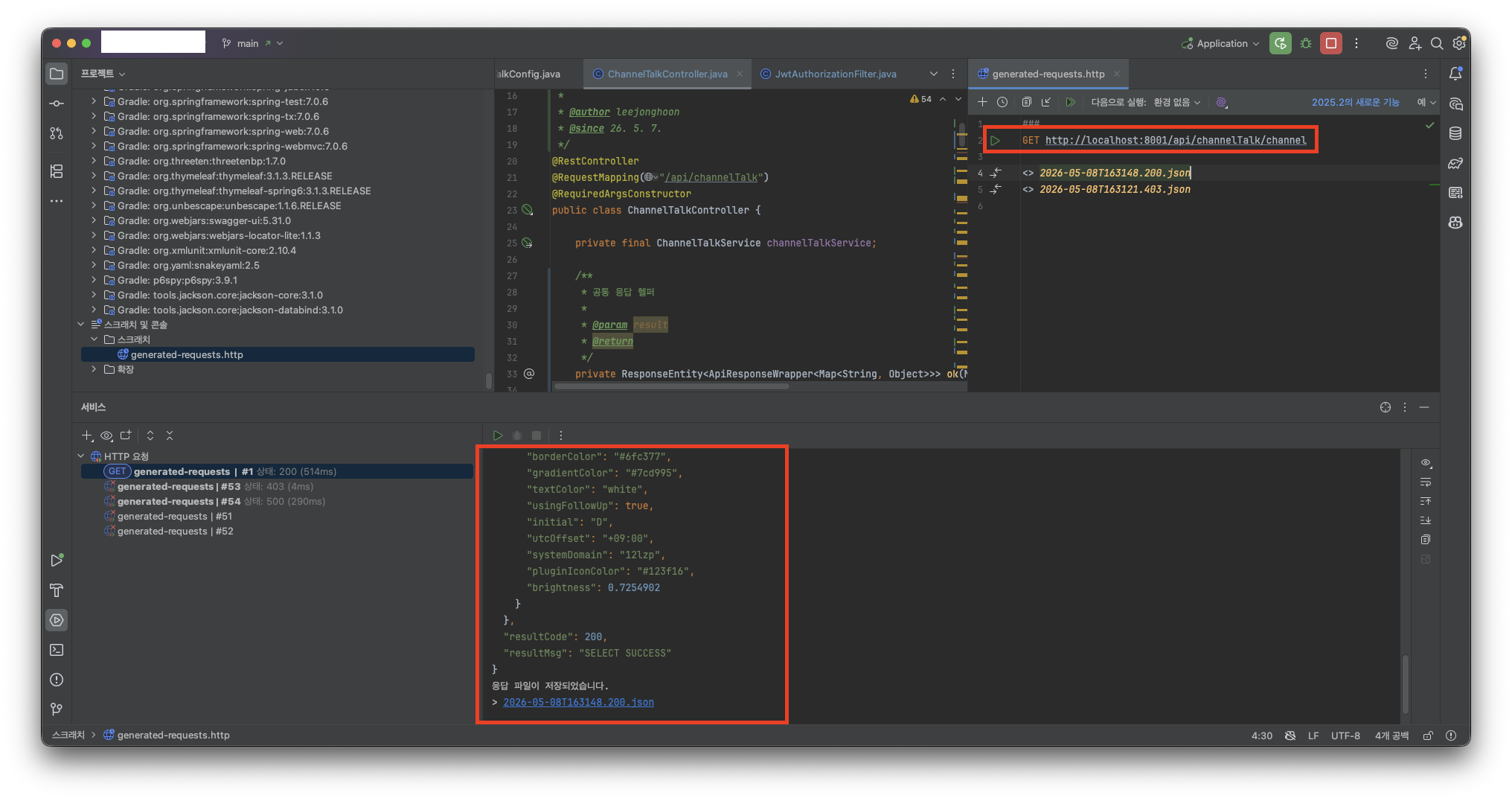
- IntelliJ의 HTTP Client를 활용하여서 API 호출 테스트를 수행합니다.
💡 아래와 같이 채널 목록을 조회하였을 때, 정상적으로 출력이 됨을 확인하였습니다.
💡 [참고] HTTP Client 활용 방법
[IntelliJ] HTTP Client 사용하기 : Postman 대체하기
해당 글에서는 Postman을 대체하여 클라이언트에서 서버로 API를 전송(Request)하고 반환(Response)을 받는 테스트에 사용이 되는 HTTP Client에 대해서 공유합니다. 1) 문제사항 및 적용 계기 💡 Client에서
adjh54.tistory.com
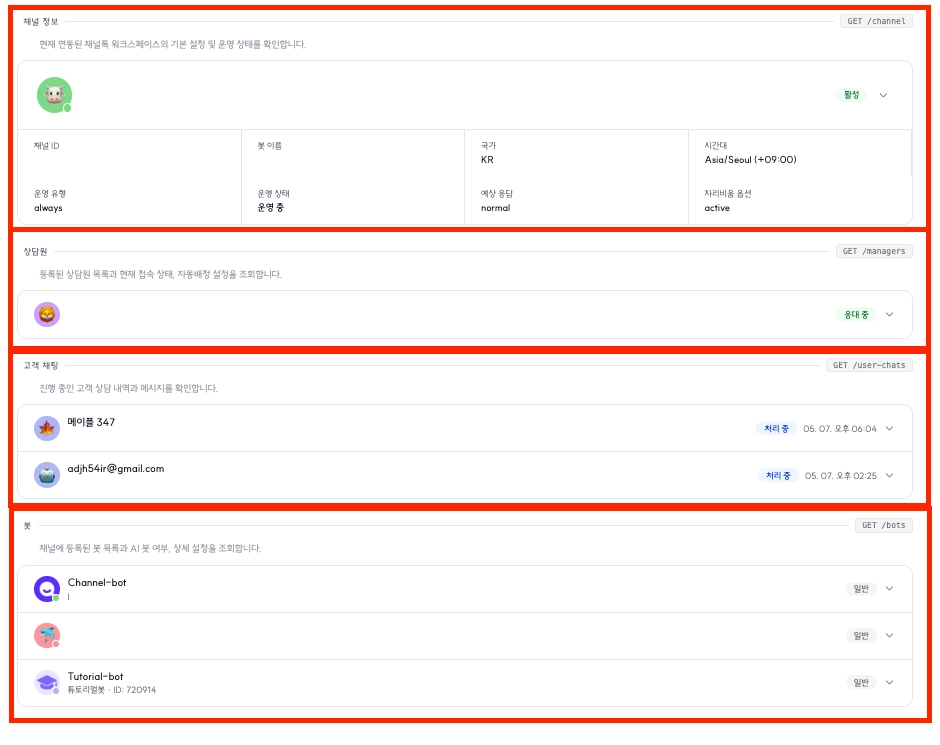
💡 화면상에서 출력도 채널정보, 상담원, 고객 채팅, 봇에 대해서도 출력이 잘됨을 확인하였습니다.
오늘도 감사합니다. 😀
'Java > 라이브러리 활용' 카테고리의 다른 글
| [Java] Google Search Console 이해하고 API 연동하기 (0) | 2026.05.20 |
|---|---|
| [Java] GA4(Google Analytics) 이해하고 활용하기 -2: 수집된 데이터 조회 환경 설정 및 활용 방법 (0) | 2026.02.06 |
| [Java] Spring Boot Dotenv 이해하고 활용하기 -1 : .env 로드, .yml 매핑 로드 (0) | 2025.12.02 |
| [Java] Spring Boot 환경에서 Excel 활용하기 -2 : Apache POI 기반 엑셀 스타일, 필터, 유효성 적용 (0) | 2025.02.25 |
| [Java] Spring Boot 환경에서 Excel 활용하기 -1 : Apache POI 기반 업로드, 읽어오기, 다운로드 (0) | 2025.02.12 |